My Booking by Alla Media
The Sunbed Reservation System allows hotels and resorts to offer their guests a modern, convenient, and stress-free way to reserve sunbeds at the beach or aquapark.
Guests access an interactive map showing all available sunbeds.
Green = available, Yellow = pending, Red = reserved/approved.
Guests simply tap on their preferred sunbed, enter their details, and confirm the reservation.
The hotel management panel receives the request instantly and can approve or decline it.
Once confirmed, the sunbed is blocked from the system, avoiding double bookings.
Transparency: see in real time which sunbeds are available.
Convenience: reserve a spot before arriving at the beach or pool.
Comfort: secure their favorite location with just a few clicks.
Clear overview of daily and seasonal occupancy.
Efficient management with approval, cancellation, and reporting tools.
Enhanced guest experience with smooth and organized reservations.
Through a simple and user-friendly interface, guests can view a real-time map of the beach or aquapark. Each sunbed is clearly marked with its status — available, pending, or reserved — allowing guests to instantly choose and secure their preferred spot with just a click.

This ensures full transparency, eliminates confusion, and guarantees that every guest enjoys a stress-free booking experience.
The interactive map uses a simple color system so guests can immediately see the status of every sunbed:
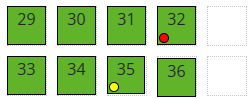
This clear visual guide makes it easy for guests to understand availability at a glance, ensuring a smooth and transparent booking experience.
Guests simply tap on their preferred sunbed directly on the interactive map, fill in their details (name, contact, booking info), and confirm the reservation in just a few clicks.
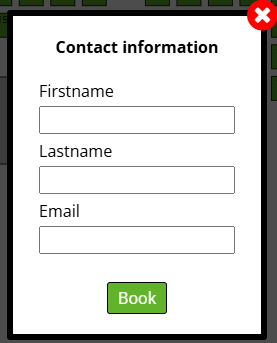
The process is quick, intuitive, and mobile-friendly — ensuring every guest can secure their spot effortlessly.
Once the hotel approves the request, the guest receives an instant confirmation message:
A notification on screen: “Your booking is approved”.
A booking receipt is sent directly to the guest’s email.
A unique link is provided so the guest can check their booking status at any time.

This step guarantees transparency, gives the guest peace of mind, and provides all necessary details for their upcoming stay or sunbed reservation.
When the guest clicks the unique booking link, they are redirected to a Booking Status Page showing all the reservation details:
Booking ID – unique reference number for the reservation.
Booking status – e.g. Approved.
Guest details – name, email, and reserved place.
Room/Zone – which area was booked (e.g. Beach Zone).
Payment info – amount to be paid (e.g. 10 EUR/ALL).
PDF receipt – option to download or view the booking confirmation as a document.
Send again option – if the guest did not receive the receipt via email, they can resend it with one click.

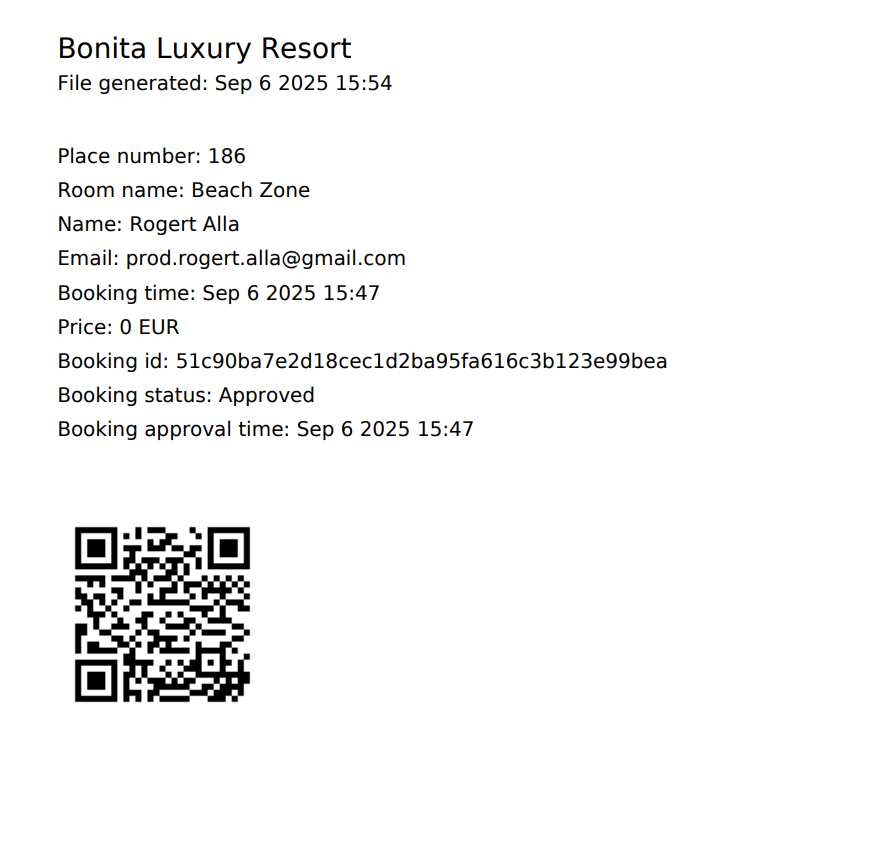
The final step of the booking process provides the guest with a digital receipt, which includes:
Hotel/Resort name
Place number (e.g. 186)
Room/Zone name (e.g. Beach Zone)
Guest details – Name and Email
Booking time & approval time
Booking ID – unique identifier
Booking status – e.g. Approved
Price information (e.g. prepaid, deposit, or 0 EUR if paid on-site)
QR Code – scannable code for fast check-in and easy validation by staff